

Appearance
Sign Up
This guide walks you through creating your NextEpoch Cloud account.
Prerequisites
- An activation key from your organization admin
- A Google account, Microsoft account, or email address for sign-in
TIP
Signup is by invitation only. If you don't have an activation key, contact your organization admin to request one.
Step 1: Open the Signup Page
Navigate to the NextEpoch Cloud signup page in your browser:
https://portal.nextepoch.cloud/signupStep 2: Enter Your Activation Key
Enter the activation key provided to you in the Activation Key field and click Verify key.
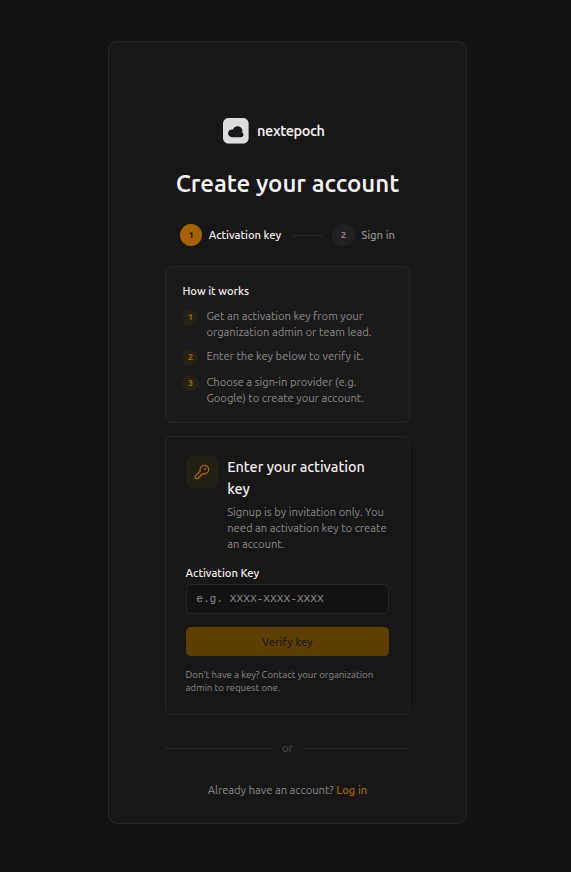
Your activation key is in the format XXXX-XXXX-XXXX and is provided separately by your organization admin.
Step 3: Create Your Account
After the key is verified, you'll see the sign-in options. Choose one of:
- Create account with Google — Sign in with your Google account
- Create account with Microsoft — Sign in with your Microsoft account
- Sign up with email — Enter your email address and receive a verification code
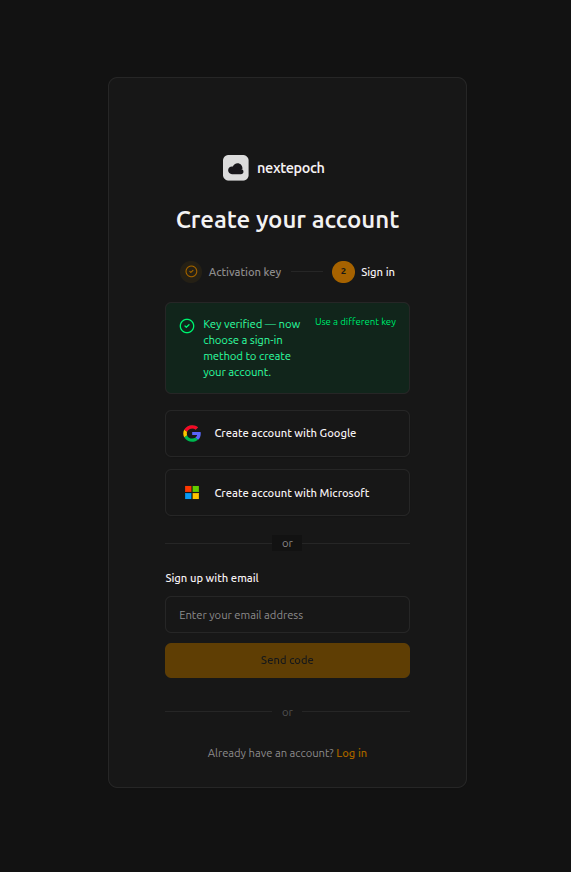
Sign in with the identity provider of your choice. This links your identity to your NextEpoch account.
Step 4: Accept Your Invitation
After signing in, you'll be taken to the onboarding screen. If you have pending invitations to join existing workspaces, you'll see them listed here.
Click Join on the organization you want to join. You will be redirected to the NextEpoch dashboard inside your organization.
INFO
If you don't have any pending invitations, you can create a new workspace instead.
Step 5: Log Out and Log Back In
To ensure your session is fully initialized with the correct permissions:
- Click your profile icon in the top-right corner and select Log out
- Go back to
portal.nextepoch.cloud/login - Sign in again with your identity provider
You now have full access to your organization's NextEpoch workspace.
Next Steps
- Create a workspace if you need to set up a new organization
- Take a portal tour to learn your way around the dashboard
- Deploy your first app