

Appearance
CI/CD Runners
NextEpoch provides dedicated runners for your organization's CI/CD pipelines. Builds run in isolated environments with support for container image builds and integration tests.
How It Works
When you push code or merge a pull request, the platform automatically triggers a pipeline on your organization's runners. Each run gets a clean workspace and the tools needed to build, test, and package your application.
Configuring Runners
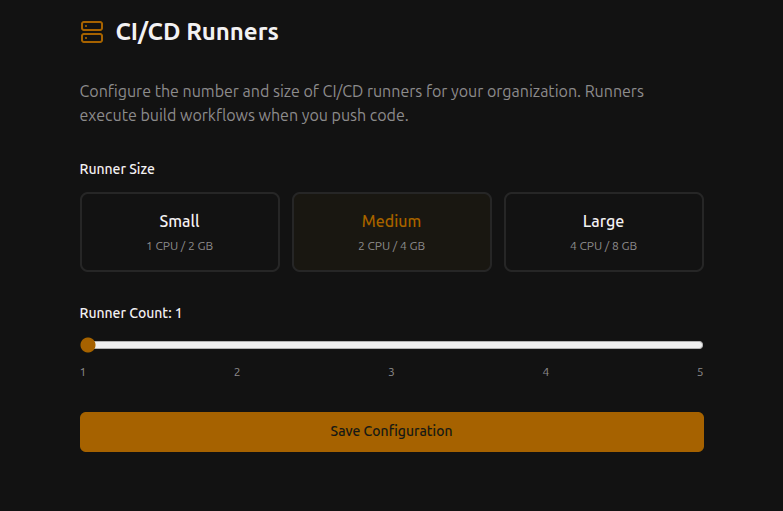
Navigate to your organization's runner settings to configure:
Runner Size
| Size | CPU | Memory | Best for |
|---|---|---|---|
| Small | 1 vCPU | 2 GB | Simple builds, linting, tests |
| Medium | 2 vCPU | 4 GB | Most CI/CD workloads |
| Large | 4 vCPU | 8 GB | Heavy builds, large test suites |
Runner Count
Scale from 1 to 5 runners per organization. More runners means more pipelines can run in parallel.
Pipeline Workflows
Pipelines use Actions-compatible workflow syntax. Place workflow files in the path shown by your repository settings.
Example workflow:
yaml
name: Build and Test
on: [push]

jobs:
  build:
    runs-on: ubuntu-latest
    steps:
      - uses: actions/checkout@v4
      - name: Build
        run: docker build -t my-app .
      - name: Test
        run: docker run my-app npm test
Isolation
- Runners are isolated per organization — your builds never share resources with other tenants
- Each pipeline run gets a clean workspace
- Persistent build cache can be enabled for workloads that benefit from it